AI for Presentations: From Slides to Systems

AI for Presentations: From Slides to Systems

FutureShifts | First April 2026 Edition 

AI in Focus: Recent Developments

AI is moving fast. This edition cuts through the noise on two fronts: the key AI developments from the past two weeks, and a practical breakdown of what AI can actually do for your presentations right now, including where most professionals are still leaving serious time on the table.

This fortnight in AI. 

UK regulators hold emergency talks over Anthropic’s most powerful AI model UK financial regulators are in urgent discussions over risks linked to Anthropic’s Claude Mythos Preview. The model’s ability to identify large-scale software vulnerabilities has raised serious concerns. AI is increasingly being treated as a potential systemic risk, not just a productivity tool.

Source

 Meta launches its first proprietary AI model Muse Spark supports text, images and voice, is free with a Meta account and is integrated across its platforms. Competitive, though not leading across all tasks.

Sources: 1 2 3

 Anthropic makes powerful AI more affordable A new “advisor tool” combines a lower-cost model with Opus, using the latter only when needed. Up to 87% cost reduction without sacrificing performance.

Source

 Perplexity becomes a personal finance hub Perplexity has integrated with Plaid to deliver personalised insights from users’ real financial data. Basic access is free.

Sources: 1 2

China builds a governance framework for AI Mandatory ethics committees, rules for AI companions and protections for vulnerable users. A shift from reactive regulation to structured governance.

Sources: 1 2

AI for Presentations: From Slides to Systems

Every professional who’s tried AI for presentations has had the same experience. You type a prompt, a deck appears, it looks decent and then you spend an hour fixing it. That’s not a failure; that’s a workflow gap. The tools are good. Most people just aren’t using the right one at the right stage.

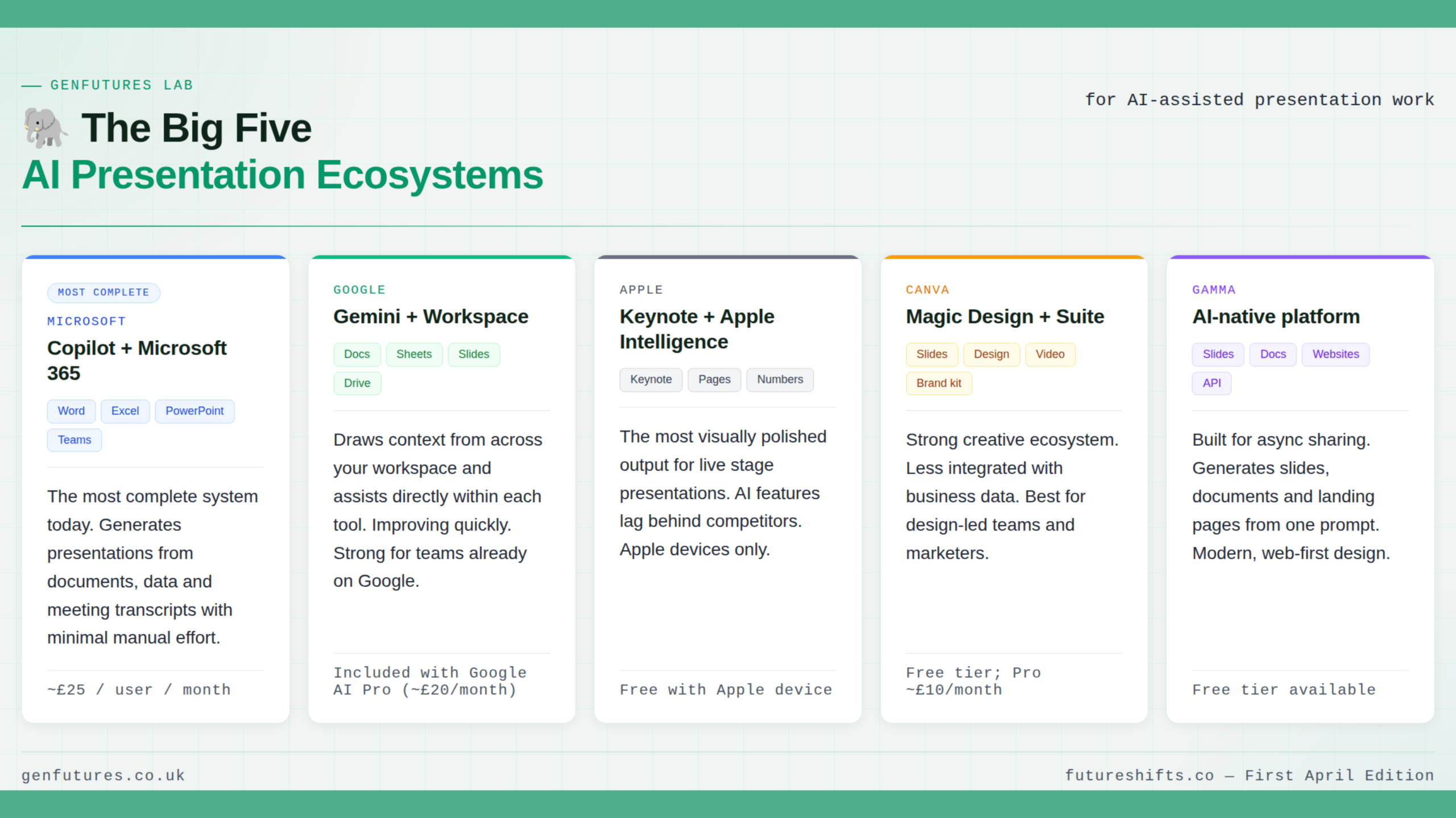
Before diving into specific tasks, it helps to know who the main players are. Most AI presentation tools don’t exist in isolation; they sit inside broader ecosystems that connect your documents, data and workflows together. Here’s who’s built the most complete picture so far.

The Big Five

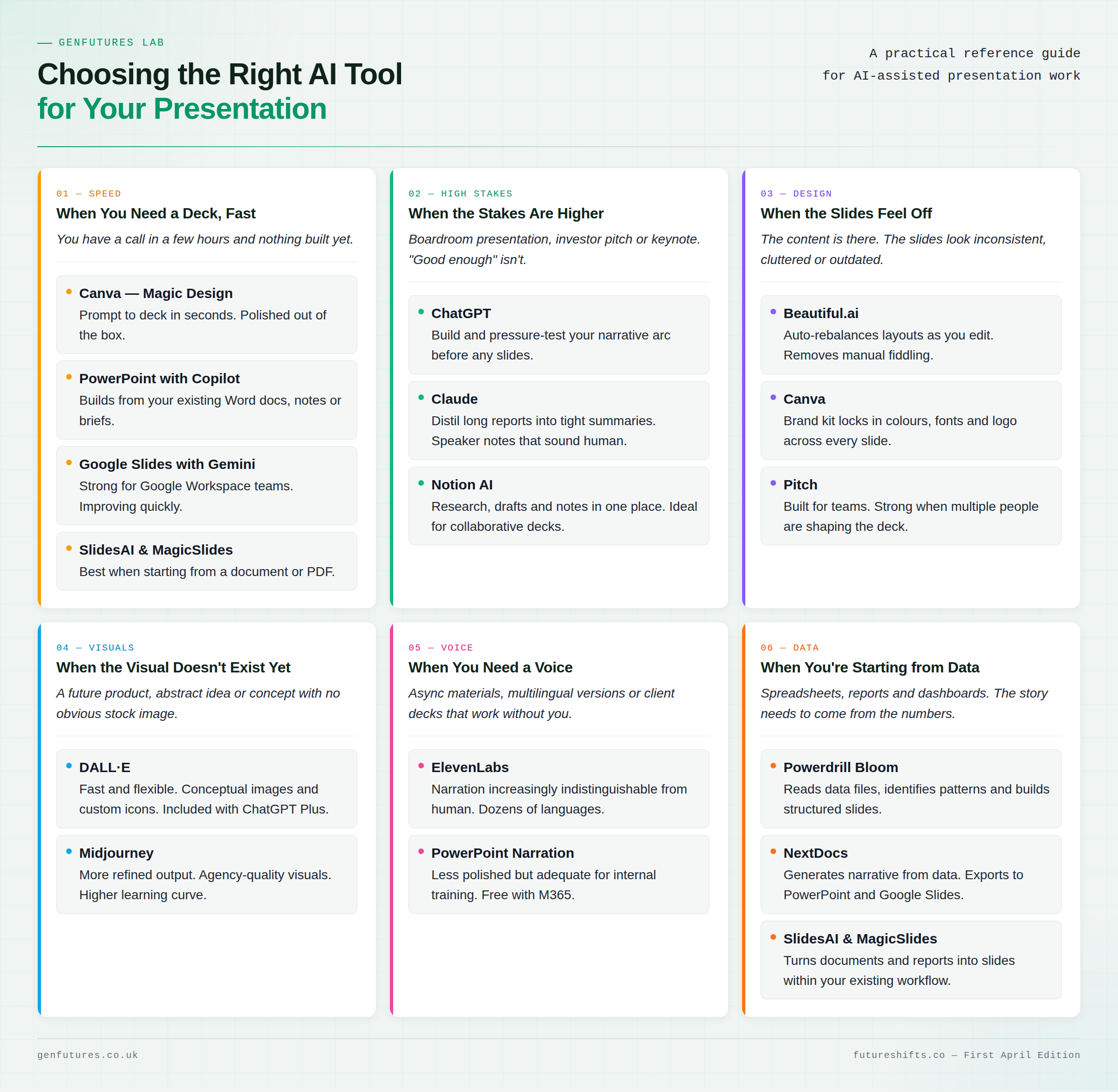
Choosing the Right AI Tool for Each Presentation Scenario

When you need a deck fast Canva, PowerPoint with Copilot or Google Slides with Gemini will get you there quickly. SlidesAI and MagicSlides are worth knowing if you’re starting from a document. You’ll get most of the way there. The rest, clarity, judgement and the bit that actually lands, is still yours.

When the stakes are higher Don’t start with slides. Start with thinking. Use ChatGPT to build a narrative arc then push back on it. Claude is better for deep document work. Notion AI keeps everything in one place if multiple people are involved. Do this before you open a slide tool. It changes what you build.

When the slides feel off Beautiful.ai adjusts layouts as you edit. Canva keeps things on brand. Pitch works well when several people are involved. None of this is magic. It just removes the friction that eats your time.

When the visual doesn’t exist yet DALL·E is fast. Midjourney is more refined. One strong image can anchor an entire slide. Too many and everything starts to feel like a mood board.

 When you need a voice ElevenLabs produces narration increasingly hard to distinguish from a real recording. PowerPoint’s built-in narration works fine for anything internal. A good voiceover turns a static deck into something people will actually watch.

 When you’re starting from data Powerdrill Bloom and NextDocs generate structure and narrative directly from data. This is where AI stops being a formatting tool and starts shaping the work itself.

And when you’re ready to stop managing all of the tools yourself? That’s where agentic AI comes in.


Every tool in this guide does what you tell it to do. You prompt, it responds, you move on. Useful, but you are still the one holding everything together.

Agentic AI works differently. You do not say “write speaker notes for slide 3.” You say “here is the brief, the audience and the deadline. Build the presentation.” It plans, pulls in content, drafts, refines and checks in only when it needs to.

Most people are not there yet. But it is closer than it looks.

Microsoft Copilot is the clearest example. Through its newer agent capabilities, Copilot can reference your Word documents, pull data from Excel and build a PowerPoint deck, all from a single prompt, dramatically reducing the coordination overhead so your time goes on thinking, not building. Beyond that, the further shift is towards fully autonomous systems, where the AI does not just assist but runs entire workflows end to end, without being prompted at each step.

Source

Learn More. Go Further.

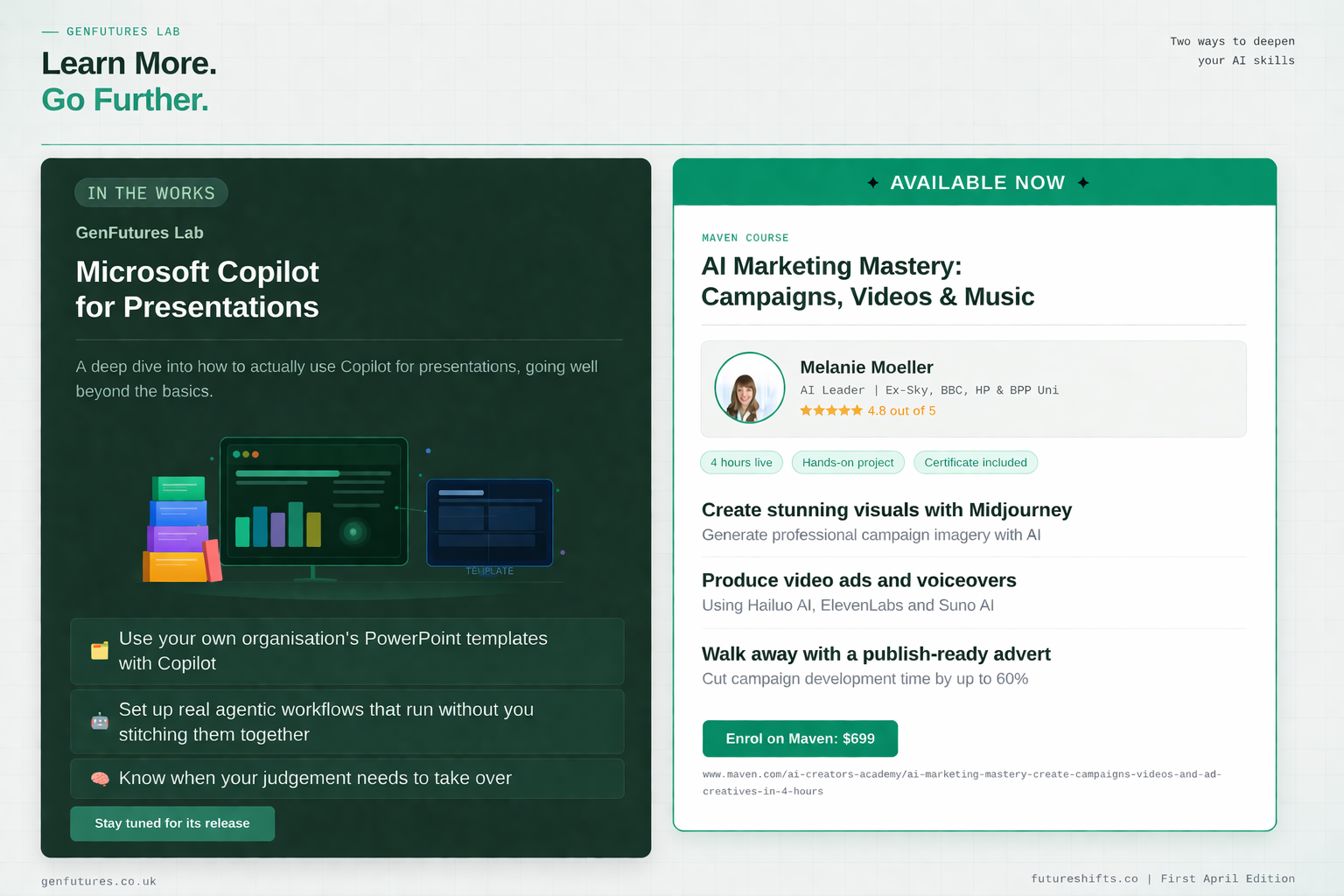
In the Works from GenFutures Lab: Microsoft Copilot in Depth

Stay tuned for its release! It will cover how to use Copilot for presentations, including how to work within your organisation’s existing PowerPoint templates, real-world agentic workflows and where human judgement still matters most. Stay tuned for its release.

✨Want to Go Deeper on AI Visuals?

For marketers and creative professionals who want to go further with AI visuals, our Maven course covers the full AI creative toolkit in four hours, from campaign visuals to video and ad creatives.

👉 www.maven.com/ai-creators-academy/ai-marketing-mastery-create-campaigns-videos-and-ad-creatives-in-4-hours

If you would like a clearer picture of where AI can add real value for your team, get in touch. We are happy to start with a free conversation. 🤝